
@Danielwalshmusic
Solo act · Dubai/Abu Dhabi
Singer • Acoustic Guitar Player
- Pop
- Folk
- Country
- Rock
Free musician website
The Lantern Sessions
Soul and Motown covers band · Manchester
Live session: Motown medley
Upcoming gigs
Why it matters
Someone loved your set and wants you for their wedding. A venue manager heard about you from the bar staff. A fan wants to know where you play next. Each of them searches your name, and what they find decides whether they get in touch.
Social media alone makes that hard: your gigs are buried under last week’s posts and there is no way to send a proper enquiry. A website fixes it, but most website builders are made for shops and cafés, cost a monthly fee and take a weekend to set up. A GigTag page is a musician website made for one job: getting you heard, followed and booked.
What is on it
Who you are and what you sound like, in the first second. Your bio sits in its own section, as short or long as you like.
Paste a YouTube, Spotify or SoundCloud link and the player sits right on the page, so a booker hears you without leaving it.
Every date, and the nights you play every week. Fans add the next one to their calendar, and past gigs drop off by themselves.
Date, place, guest count and details, in one form that comes straight to you. No more chasing it out of a DM.
Instagram, TikTok, Spotify, Apple Music, YouTube, SoundCloud, your shop and your tickets, as icons or as buttons.
Pick a look or your own colours, then drag the sections into the order you want. Change it whenever you like.
Members and the friends you play with, each with a link of their own, so a dep or a duo partner gets found too.
The page your stage QR code opens takes song requests and tips, paid straight into your own Stripe, Square or Ziina account.
Set up
Compared
| Feature | Website builder | Link in bio | GigTag page |
|---|---|---|---|
| Free to start | Usually a trial, then monthly | Yes | Yes |
| Ready in minutes, on your phone | No | Yes | Yes |
| Gigs and weekly residencies | With a plugin or by hand | No | Yes |
| Booking enquiry form | Yes | No | Yes |
| Music and video players | Yes | Some | Yes |
| Song requests and tips at the gig | No | No | On Pro |
| A QR code for your stage | No | A plain code | A designed tag |
| Your own domain name | Yes | Some | Forward one to it |
Checklist
What you play, for whom and where: "Five-piece soul band for weddings and late bars in Manchester."
Live, landscape, in good light. It does more work than any paragraph.
Your best track or a live video. Most people decide here.
Dates and venues, kept up to date, so the page never looks abandoned.
Fifty to a hundred words. Use the free bio generator if writing about yourself is the hard part.
A form beats an email address: you get the date and the details in the first message.
So a fan can follow you wherever they already spend their time.
Almost everyone who finds you after a gig is on one. A GigTag page is built for it.
Stuck on the bio? Try the free musician bio generator. Sending your page to bookers? Read how to make an EPK.
Examples
Solo act · Dubai/Abu Dhabi
Singer • Acoustic Guitar Player

Solo act
Singer/Saxophonist
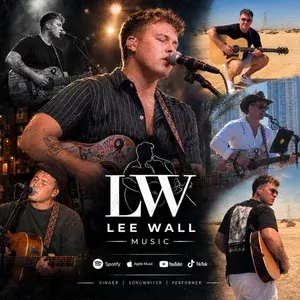
Solo act
Hey, it’s Lee, 27 years old from Ireland living my dream 🎼
Questions
Yes. The page, your photo, bio, links, music and video players, gigs, weekly residencies and the booking form are on the free plan, with no card needed. GigTag Pro adds song requests and tips, invoices and more than one act.
Your page lives at gig-tag.com/artist/your-name. If you own a domain, most domain companies let you forward it to any link, so yourname.com can open your GigTag page.
Yes. Published pages are listed in our sitemap for search engines, and your name, bio and gigs are on the page as text they can read. Keep your gigs up to date and link to the page from your socials to help it along.
Both. It does the job of a link in bio page on Instagram and TikTok, and the job of a musician website for a booker: your music, your gigs, a bio and a booking form, on one page with its own link.
Yes. Bands list their members, DJs their residencies and mixes, singers their sets and songs. The same page works for a wedding band, a busker or a club DJ.
Add a button for your ticket page or your shop, and it sits on your page with the rest. Each gig can also carry its own ticket link.
No. You fill in your details and drag the sections into place, on your phone or a computer. It takes a few minutes, and you can change anything at any time.
For musicians
No app for your audience, nothing to download. Free to start.